
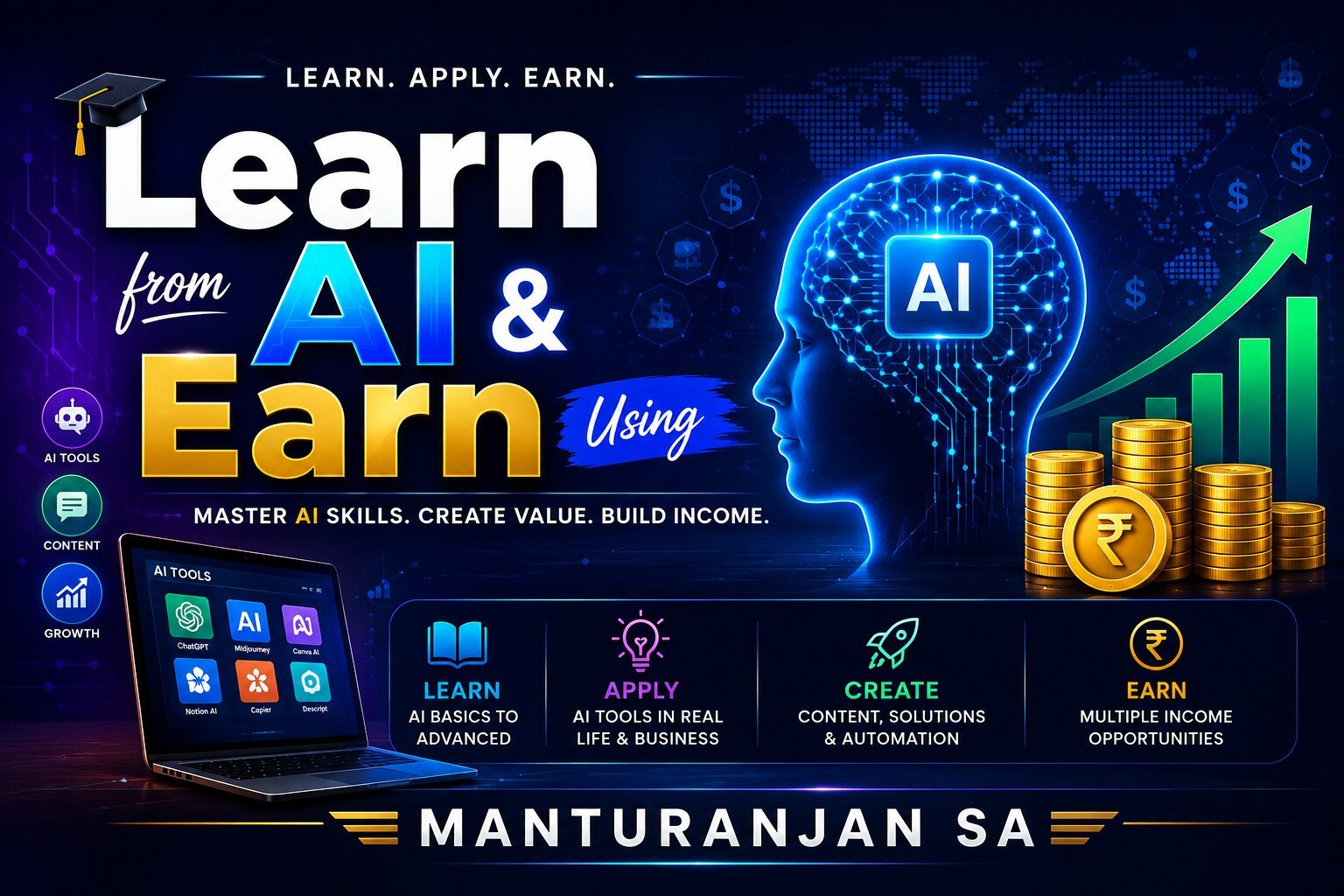
Welcome to Learn from AI & Earn Using AI
We are living in an era defined by the most significant technological paradigm shift of our lifetimes. The rise of artificial intelligence is not merely a change in software; it is a fundamental restructuring of how we gather knowledge, solve problems, and create value in the marketplace. As an educator and a lifelong learner, I have always believed that education is the ultimate catalyst for change.
“Learn from AI & Earn Using AI” was born out of a desire to demystify this transition for students, professionals, and aspiring entrepreneurs. In my work as a teacher and a business proprietor, I have seen firsthand the gap between the rapid advancement of technology and the practical tools people need to keep pace. This book is my effort to bridge that gap. This is not a theoretical textbook or a complex manual on machine learning algorithms. Instead, it is a practical roadmap. It is designed for the creator, the freelancer, the student, and the professional who understands that the future belongs to those who can leverage digital tools to scale their efforts. Within these pages, we explore how to move beyond basic interaction with AI to a deeper, strategic application of these tools. We look at:
“Learning from AI”:
How to use AI as a personal tutor, a research partner, and a critical thinking companion to accelerate your skill acquisition.
“Earning Using AI”:
How to translate those improved skills and efficient workflows into tangible income streams, whether through digital products, freelancing, or enhanced business operations. My journey as an educator has taught me that the most powerful tool a person can possess is their ability to adapt. As you read through this guide, I invite you to approach these chapters with a mindset of curiosity. Do not just read to understand—read to execute. The technology is here, and the potential is immense. It is time to start learning, and more importantly, it is time to start earning.
“Learn from AI & Earn Using AI” is a practical, forward-looking guide. Designed to bridge the gap between complex emerging technologies and everyday economic opportunities, the book serves as a roadmap for students, professionals, educators, and aspiring entrepreneurs who want to leverage artificial intelligence not just as a tool for curiosity, but as a catalyst for productivity and income generation.
Core Theme & Philosophy:
The central premise of the book is that artificial intelligence has fundamentally shifted how work is done, creating an urgent need for individuals to adapt. Rather than treating AI as a distant concept or a threat to traditional jobs, the author emphasizes viewing it as an accessible partner and digital leverage.
Key Focus Areas
Foundational Learning:
Demystifying what AI tools are, how they function, and how users can effectively “learn from AI” to accelerate their personal knowledge base and skill sets.
Monetization & Practical Income Models: Outlining actionable steps and real-world methods to “earn using AI,” spanning freelancing, digital content creation, automation, and micro-entrepreneurship.
Democratizing Technology: Emphasizing that advanced technical backgrounds or coding expertise are not prerequisites for success; instead, focus is placed on prompt strategy, creativity, and efficient workflow execution.
Empowerment Through Upskilling: Reflecting the author’s background as an educator, the book is structured to guide readers methodically, fostering confidence, structured thinking, and adaptability in a fast-evolving digital economy.

Part 1: Learn From AI
Chapter 1: Mindset & Prompt Engineering Fundamentals
1. The AI Mindset: Shift How You Think
Most people treat AI like a search engine (asking simple questions) and get generic answers. To unlock high-value results, shift your mindset across three core areas:
A. The “Co-Pilot” Mental Model
- Collaborator, Not Replacement: View AI as a tireless, ultra-knowledgeable junior assistant or co-strategist. It handles 80% of the heavy lifting (brainstorming, structuring, drafting), while you provide the remaining 20% (direction, domain knowledge, quality control, and emotional touch).
- Direction Over Execution: Your job shifts from doing manual work to directing and auditing the output.
B. Iterative Problem Solving (Dialogic Mindset)
- Never Expect One-Shot Perfection: The first answer is rarely the final deliverable. Treat prompting as an interactive conversation where you refine, critique, and guide the AI across multiple turns.
- The Critique-and-Refine Loop: If an output is weak, don’t restart from scratch—tell the AI why it fell short (e.g., “This is too generic. Re-write section 2 with concrete examples and a more conversational tone.”).
C. Critical Oversight & Ethics
- Trust, But Verify: AI can hallucinate facts, invent citations, or sound deceptively confident. Always fact-check data, numbers, and references.
- Authenticity First: Infuse your own voice, personal anecdotes, and specific real-world expertise so the final result feels human and unique.
2. Prompt Engineering Fundamentals
Prompt engineering is the craft of structuring your text instructions so the AI understands your intent and produces reliable, tailored responses.
The C.R.A.F.T. Prompting Blueprint
Whenever you write a serious prompt, structure it using the C.R.A.F.T. framework:
| Component | What It Means | Example Prompt Element |
| C – Context | What is the background, situation, or audience? | “I am a school administrator preparing a 10-minute presentation for local business owners…” |
| R – Role | Who should the AI pretend to be? | “Act as an expert educational strategist and public speaker…” |
| A – Action | What exact task do you want completed? | “Outline 5 key ways businesses can partner with local schools for student mentorship programs…” |
| F – Format | How should the final output be presented? | “Present this as a clean, bulleted outline with bold headings and 2-sentence descriptions for each point.” |
| T – Tone & Style | What should it sound like (or avoid)? | “Tone should be inspiring, professional, and practical. Avoid overly complex jargon.” |
3. Essential Prompting Techniques
Beyond basic structure, master these core techniques to elevate output quality:
- Role Prompting
Assigning a specific persona grounds the AI in a specific perspective, vocabulary, and level of expertise.
- Example: “Act as a senior book editor with 15 years of experience in business publishing…”
- Chunk-Based Prompting
When working on large projects (like books, courses, or complex business plans), never ask for the whole deliverable at once. Break it down step-by-step:
- Generate the strategy/outline.
- Refine the outline.
- Draft Section 1.
- Review Section 1, then move to Section 2.
3. Few-Shot Prompting (Providing Examples)
Showing the AI 1–3 examples of your preferred format or writing style dramatically improves performance.
- Example:
“Analyze the sentiment of the following feedback. Here are examples:
Feedback: ‘The delivery was late.’ -> Sentiment: Negative
Feedback: ‘Amazing service, highly recommend!’ -> Sentiment: Positive
Feedback: ‘Product arrived on time.’ -> Sentiment: Neutral
Now classify this text: ‘[Your user text here]’ “
4. Positive Guidance (Focus on What to Do)
LLMs process instructions better when framed positively rather than negatively.
- ❌ Avoid: “Don’t write a long, boring email.”
- Better: “Keep the email under 150 words, concise, energetic, and focused on a single call to action.”
Chapter 2: AI Tool Ecosystem Knowledge
1. Text & Reasoning Engines (Frontier Models)
These form the backbone of the AI ecosystem. They handle complex logic, long-form content generation, analysis, and strategic ideation.
- OpenAI (ChatGPT): Exceptional for interactive drafting, ideation, and flexible task management using built-in canvas and workspace views.
- Anthropic (Claude): Industry-leading for long-document context, natural writing tone, deep analysis, and step-by-step logic.
- Google (Gemini): Highly integrated with real-time web search, multimodal understanding (video, audio, text), and native integration across productivity suites like Google Workspace.
- Perplexity AI: Search-native AI designed for academic research, fact-checking, and market analysis with direct source citations.
2. Visual, Graphic & Design Suite
Tools in this category convert text or rough sketches into production-ready visual assets, logos, UI designs, and social media media.
- Midjourney & DALL-E 3: High-fidelity image generation for artistic concepts, stock photography, and product mockups.
- Canva Magic Studio: Accessibility-focused design automation for social graphics, brand kits, presentations, and marketing collateral.
- Adobe Firefly: Commercial-safe generative fills and asset manipulation integrated directly into Photoshop and Illustrator.
- Figma AI: Generating UI layouts, wireframes, and vector components directly within professional design systems.
3. Audio, Voice & Music Generation
Used for voiceover work, translation, podcasting, and audio asset creation without expensive studio hardware.
- ElevenLabs: Ultra-realistic voice cloning, multilingual narration, and expressive text-to-speech for audiobooks and video overviews.
- Descript: Podcast and video editing software driven by text transcripts, allowing users to edit audio by editing text.
- Suno & Udio: Text-to-music engines capable of generating full royalty-free backing tracks, jingles, and multi-genre audio assets.
4. Video Generation & Avatar Creation
Allows users to produce faceless YouTube content, training presentations, and marketing clips without camera gear.
- HeyGen & Synthesia: Photorealistic digital avatars that speak script inputs in multiple languages, widely used for e-learning and corporate training.
- Runway & Pika: Text-to-video and image-to-video tools for dynamic cinematic visual effects and short video clips.
- InVideo AI: Generates complete video drafts—including scripts, footage, subtitles, and voiceovers—from a single text prompt.
5. Coding, Development & Data Analysis
Accelerates software engineering, site creation, and complex database querying.
- Cursor & Windsurf: AI-native code editors that read entire codebases, complete code snippets, and debug complex software errors in real time.
- Julius AI / Advanced Data Analysis: Imports raw spreadsheets and datasets to perform statistical analysis, clean data, and generate dynamic charts.
- Framer AI & Durable: Instant web page and landing page builders that generate layouts, copy, and responsive styles from short descriptive prompts.
6. Automation, Agents & Workflow Integrations
Connects different software tools together so they perform background tasks automatically without manual intervention.
- Zapier AI & Make.com: Connects hundreds of web apps (e.g., automatically drafting an email reply when a form is submitted or logging leads into a CRM).
- Voiceflow & Botpress: Visual builders for building custom, data-trained conversational AI chatbots for websites.
- Notion AI: Embedded workspace AI that organizes project notes, summarizes meeting transcripts, and manages task databases automatically.
Modern Toolkit Selection Strategy
To build an efficient AI toolkit without overspending, adopt a simple 3-Layer Framework:
| Layer | Function | Tool Examples |
| 1. The Core Brain | Choose ONE primary conversational model for daily work. | ChatGPT, Claude, or Gemini |
| 2. Specialist Tools | Select 2–3 tools specific to your core output (design, audio, code). | Midjourney (Graphics), ElevenLabs (Voice), Cursor (Coding) |
| 3. Connectors | Use automation to bridge your tools together. | Zapier, Make, or Notion AI |
Part 2: Earn Using AI
Chapter 1. Writing & Content Generation AI
Writing & Content Generation AI is the most accessible, high-demand vertical in the generative AI space. It involves using Large Language Models (LLMs) and natural language generation tools to produce text-based deliverables at 5x to 10x traditional speed.
1. What is Writing & Content Generation AI?
Instead of spending hours staring at a blank page, writing AI acts as your co-writer, researcher, and editor. It excels at:
- Ideation & Outlining: Brainstorming viral headlines, blog structures, and content hooks.
- Drafting: Writing long-form articles, ad copy, emails, and scripts.
- Refining & Formatting: Adjusting tone, proofreading, optimizing for SEO, and reformatting text into bullet points, tables, or social posts.
Primary AI Writing Tools Matrix
- Frontier Reasoning Models (ChatGPT, Claude, Gemini): Best for long-form books, nuanced storytelling, research, and deep technical drafting.
- Dedicated Copywriting AI (Jasper AI, Copy.ai): Best for short-form marketing copy, email campaigns, and ad variations.
- SEO & Content Optimization AI (Surfer SEO, Frase): Best for writing articles optimized to rank high on Google search results.
2. Step-by-Step Blueprint to Earn Money with AI Writing
Here is the exact framework to turn AI writing skills into a profitable income stream.
Step 1: Choose Your Monetization Path
Select one of these three proven income models:
Model A: Freelance & Client Services (Fastest Revenue)
Offer high-speed writing services to business owners, schools, or agencies.
- Services to Offer: SEO blog writing, email newsletters, social media captions, LinkedIn posts, or eBook ghostwriting.
- Typical Earnings: $50 – $300 per article or $500 – $2,000/month per client retainer.
Model B: Digital Publishing & Self-Sale (Passive Income)
Publish digital reading materials directly to consumers.
- Products to Create: Niche eBooks, printable student workbooks, study guides, or step-by-step business playbooks.
- Platforms: Amazon KDP, Gumroad, Etsy, or personal website.
- Typical Earnings: $5 – $30 per book download (scalable to thousands of sales).
Model C: Niche Content Site / Blog (Long-term Passive)
Build a niche blog monetized via affiliate links and display ads.
- Strategy: Use AI to consistently publish 15–20 keyword-optimized articles per month.
- Platforms: WordPress, Substack, Medium.
- Typical Earnings: $500 – $3,000+/month once search traffic builds.
Step 2: Master the AI Writing & Human-Editing Workflow
Never publish raw AI output directly. Use the AI-Draft, Human-Craft method to ensure top quality:
- Prompting (The Draft):
“Act as an expert copywriter. Write a comprehensive, 1,200-word guide on ‘5 AI Productivity Hacks for Educators’. Use clear headings, bullet points, and an engaging, professional tone.”
- Fact-Checking & Auditing: Check all statistics, quotes, and technical claims for accuracy.
- Human Personalization: Inject real anecdotes, local context, or client brand voice.
- Grammar & Tone Polish: Run through Grammarly or ProWritingAid for flow and readability.
Step 3: Build Your Proof-of-Work Portfolio
Before applying for client gigs or launching products, create 3 polished portfolio samples:
- Sample 1: A 1,500-word SEO Blog Post with keyword strategy.
- Sample 2: A 5-Email Welcome Sequence for a business.
- Sample 3: A 10-page Mini eBook or Workbook outline + draft.
Tip: Host your portfolio for free on platforms like Notion, Medium, or Fueler.
Step 4: Client Acquisition & Monetization Execution
- Where to Find Clients:
- Freelance Platforms: Upwork, Fiverr, Freelancer (Search for tags: SEO Content Writer, Ghostwriter, Copywriter).
- Direct Outreach: Email local business owners, schools, or online course creators offering to revamp their website content or newsletters.
- Social Selling: Post daily AI-assisted insights on LinkedIn or Twitter to attract inbound business inquiries.
Step 5: Scale Up
Once you secure your first 2–3 paying clients or digital book sales:
- Template Your Prompts: Save your best-performing prompt sequences to cut project time by 50%.
- Upsell Services: Offer additional content packages (e.g., “I converted your blog post into 5 social media posts and an email newsletter for an extra $50”).
- Raise Your Rates: Move from per-word pricing to project-based or monthly retainer pricing.
Chapter 2. Image Generation & Visual Design AI
Image Generation & Visual Design AI turns text descriptions, rough sketches, and reference photos into publication-grade artwork, product mockups, graphics, and brand assets in seconds.
By utilizing these tools, individuals without formal graphic design degrees can build profitable visual design operations.
1. Primary AI Design Tools & Capabilities
To produce high-converting commercial assets, combine text-to-image engines with design layout platforms:
| Category | Description | Tools / Platforms |
| Image Generators | The Visuals | Midjourney, Flux, Ideogram, Adobe Firefly, DALL-E |
| Layout & Typography | The Final Asset | Canva Magic Studio, Kittl, Photoshop (Generative Fill) |
- Photorealism & Artistry: Midjourney & Flux produce photorealistic human scenes, textures, and cinematic lighting.
- Text & Typography: Ideogram & Recraft render clear, legible text directly inside graphics (vital for posters, book covers, and logos).
- Commercial Safety & Cleanup: Adobe Firefly and Photoshop AI allow pixel-accurate editing, expanding canvas borders (outpainting), and swapping visual elements safely for business usage.
2. Step-by-Step Blueprint to Earn Money with AI Visual Design
Here is a structured 5-step pipeline to transform AI image skills into revenue.
Step 1: Select a High-Demand Business Niche
Avoid creating “generic AI art.” Businesses do not buy raw art; they pay for visual solutions that increase sales or save time.
Choose one of three proven monetization lanes:
Lane A: E-Commerce Product Image Packs (B2B)
- Deliverable: Generate high-end lifestyle scenes for physical products sold on Amazon, Shopify, or Etsy.
- Example: Transforming a basic phone photo of a candle into 10 aesthetic lifestyle scenes (e.g., sitting on a marble table, beside a cozy bath, surrounded by autumn leaves).
- Price: $100 – $300 per product listing package.
Lane B: Print-on-Demand (POD) & Printable Digital Goods (B2C)
- Deliverable: Generate high-resolution graphics for physical merchandise (t-shirts, mugs, phone cases) or digital downloads (printable wall art, planner covers, sticker sheets).
- Platforms: Redbubble, Printify + Etsy, Gumroad.
- Price: $3 – $25 per item (automated passive margin).
Lane C: Book Covers & Digital Publishing Assets
- Deliverable: Create custom front-and-back covers for self-published indie authors on Amazon KDP, plus social media promotional banners.
- Price: $75 – $250 per cover layout.
Step 2: Master the Technical Prompting Workflow
To maintain quality and avoid “unnatural AI looks,” structure prompts with specific parameters:
[Subject/Object] + [Environment/Setting] + [Lighting] + [Camera/Art Style] + [Aspect Ratio]
- Example Prompt (Lifestyle Product):
“A luxury glass perfume bottle resting on a wet river stone, soft morning sunlight, shallow depth of field, macro photography, shot on 35mm lens, photorealistic –ar 4:5”
- Example Prompt (Illustration/Typography via Ideogram):
“A minimalist vintage badge logo for an organic tea company with the text ‘PURE HARVEST’, vector art, clean linework, green and beige color palette –no clutter”
Step 3: Polish Raw Output into Final Deliverables
Raw AI outputs often contain minor glitches or lack text hierarchy. Follow this 2-step post-processing routine:
- Upscaling & Vectorization: Use free tools or native AI features to upscale images to 300 DPI (required for high-quality printing and Amazon standards). Convert logos to vector format using tools like Recraft or Kittl.
- Layout & Typography: Bring the raw image into Canva or Photoshop to overlay clean fonts, brand colors, and proper dimensions.
Step 4: Build a High-Converting Portfolio
Create 3 focused sample packs hosted on a simple platform (Behance, Notion, or Fueler):
- Sample Pack 1: Before & After showing a raw product photo transformed into 5 e-commerce lifestyle ads.
- Sample Pack 2: 3 Fiction/Non-Fiction Book Cover Mockups with title typography.
- Sample Pack 3: A set of 5 matching social media promotional banners in a consistent brand style.
Step 5: Execute Client Acquisition & Sales
- For B2B Client Work (E-commerce & Authors):
- Search for mid-tier Amazon or Etsy sellers with poor product imagery.
- Send a polite message offering one free test mockup using their actual product. Once they see the result, offer a 10-image package.
- For Direct Digital Sales (POD & Digital Products):
- Research low-competition, high-search keywords on Etsy or Amazon KDP (e.g., “Boho minimalist wall art printable” or “Teacher planner cover digital”).
- Upload 15–20 keyword-optimized listings to build consistent organic traffic.
Chapter 3. Voice, Audio & Music AI
Voice, Audio & Music AI expands how high-quality speech, music, sound effects, and multilingual dubbing are produced. By using deep learning models trained on audio waveforms, these tools eliminate the need for expensive studio gear, session musicians, or voice actors, opening up direct paths to income generation.
1. What is Voice, Audio & Music AI?
This category handles four primary audio production tasks:
- Text-to-Speech (TTS) & Voice Cloning: Generating natural, expressive human voices or creating synthetic clones of a specific voice.
- Text-to-Music Generation: Producing complete studio-quality songs (instrumentals or vocals with lyrics) from text prompts.
- AI Dubbing & Translation: Translating audio into 30+ languages while matching the original speaker’s tone and timing.
- Audio Cleanup & Editing: Removing background noise, isolating tracks (vocal/instrumental stems), and editing audio through text transcripts.
Primary AI Audio Tools Matrix
| Sub-Category | Key AI Tools | Commercial Application |
| Voice Cloning & TTS | ElevenLabs, Murf.ai, Play.ht | Audiobooks, e-learning, YouTube narration, brand voices |
| Music Generation | Suno AI, Udio, Eleven Music | Royalty-free background music, jingles, streaming releases |
| Podcast & Audio Editing | Descript, Adobe Podcast AI | Podcast production, voice enhancement, automated transcriptions |
| Localization & Dubbing | ElevenLabs Dubbing, HeyGen | Translating videos and courses for international markets |
2. Step-by-Step Blueprint to Earn Money with AI Audio
Here is the step-by-step roadmap to build a profitable revenue stream around AI voice, audio, and music production.
The AI Audio Monetization Roadmap
| Step | Action | Focus & Tools |
| Step 1: Select Your Offer | Define Core Deliverable | Choose a core offer (Audiobooks, Sync Music, Freelance Voiceovers, Dubbing). |
| Step 2: Ensure Commercial Use | Secure Legal Rights | Upgrade to paid tiers (e.g., ElevenLabs Creator, Suno Pro) to secure legal rights. |
| Step 3: Master Production QA | Audio Cleanup & Polish | Combine raw AI outputs with DAW cleanup (Audacity, Descript, or Logic Pro). |
| Step 4: Publish & Distribute | Channel Monetization | Use platforms like ACX, DistroKid, Upwork, or direct client retainers. |
Step 1: Choose a Commercial Monetization Path
Pick one primary revenue avenue based on your target market:
Path A: Audiobook Production & Publishing (High-Demand B2B / B2C)
- The Opportunity: Indie authors and digital publishers need audiobooks for Amazon ACX, Audible, and Google Play, but traditional studio recording costs $1,000–$3,000 per book.
- Your Deliverable: Convert manuscripts into polished, multi-voice audiobooks using tools like ElevenLabs Studio.
- Earnings: $200 – $800 per book project (or 50% royalty splits on published titles).
Path B: Freelance Voiceovers & Multilingual Dubbing (Agency Services)
- The Opportunity: Businesses, YouTuber creators, and online educators want to expand globally by translating their content into multiple languages.
- Your Deliverable: Provide localized voiceovers, video dubbing, and commercial ad reads on platforms like Upwork, Fiverr, or directly to clients.
- Earnings: $50 – $250 per short script / video dub.
Path C: Background Music & Royalty-Free Licensing (Passive Income)
- The Opportunity: Video editors, game developers, podcasters, and advertisers constantly need unique, royalty-free backing tracks.
- Your Deliverable: Generate mood-specific background tracks, sound effects, or jingles using Suno or Udio, package them into themed sound packs, and license them on platforms like AudioJungle, Pond5, or your own site.
- Earnings: $5 – $30 per track license download.
Path D: Platform Voice Library Passive Royalties
- The Opportunity: Platforms like ElevenLabs allow users to upload high-quality, verified Professional Voice Clones (of their own voice) into their public Voice Library.
- How It Works: When other paid platform subscribers use your cloned voice to generate content, you earn cash rewards based on usage volume.
Step 2: Ensure Commercial Rights & Licensing Compliance
Critical Requirement: Free tiers of AI audio engines do not give you commercial rights.
- Music AI (Suno / Udio): Songs created on free plans remain non-commercial. You must hold an active paid plan (e.g., Suno Pro/Premier) at the time of generation to distribute to Spotify, Apple Music, or commercial clients.
- Voice AI (ElevenLabs / Murf.ai): Commercial rights and voice cloning features require paid plans (e.g., Starter or Creator tiers). Always verify that you own or have explicit permission for any voice you clone.
Step 3: Build a High-Quality Production Workflow
Raw AI audio can sound robotic or unpolished if left untreated. Implement a 3-Step Quality Assurance Routine:
- Prompt & Directing:
- Insert pacing tags, pauses, or emotional cues (e.g., [whisper], [excited], line breaks) in text-to-speech tools to introduce natural cadence.
- Post-Processing & Noise Cleanup:
- Run generated audio through Adobe Podcast AI or Audacity to remove artifacts, balance EQ, and normalize volume to industry standards (-23 LUFS for broadcast, -18 to -23 LUFS for audiobooks).
- Multi-Track Mixing:
- Blend voiceovers with low-volume background music created via Suno or Udio to create a professional final master.
Step 4: Acquire Clients and Distribute Your Work
- For Audiobook Services: Reach out to self-published authors on Amazon KDP or platforms like Reedsy offering a free 2-minute sample chapter of their book.
- For Freelance Voiceovers: Build a 60-second audio reel showcasing 3 distinct voice styles (e.g., Energetic Commercial, Calm Corporate, Storyteller) and post services on Fiverr, Upwork, or LinkedIn.
- For Music Distribution: Use AI-friendly music distributors (like DistroKid, LANDR, or RouteNote) to push tracks generated on paid plans to Spotify, Apple Music, and YouTube Content ID, while properly completing mandatory AI disclosure fields.
Chapter 4. Video Creation & Avatar AI
Video Creation & Avatar AI represents one of the fastest-growing and highest-earning corners of the AI market. It enables creators, businesses, and marketers to produce studio-grade videos, digital presenters, cinematic clips, and automated short-form content without expensive camera gear, studio lighting, or hiring actors.
1. What is Video Creation & Avatar AI?
This domain splits into three primary technical capabilities:
- Photorealistic AI Avatars (Interactive Presenters):
- Tools: HeyGen, Synthesia, Elai.io, D-ID.
- Capability: Converts written scripts into videos of realistic human avatars (or custom clones of yourself) speaking directly to the camera with matching lip-sync, subtle gestures, and facial expressions in 100+ languages.
- Text-to-Video & Image-to-Video (Generative B-Roll & Animation):
- Tools: Runway (Gen-2/Gen-3), Pika Labs, Luma Dream Machine, OpenAI Sora.
- Capability: Generates hyper-realistic or stylized video clips from plain text prompts or still images, perfect for cinematic storytelling, background visual effects (B-roll), and advertisements.
- End-to-End AI Video Automation:
- Tools: InVideo AI, CapCut AI, Pictory.
- Capability: Generates complete short- or long-form video drafts from a single prompt—including script writing, voiceover generation, stock media selection, subtitle placement, and background music.
2. Step-by-Step Blueprint to Earn Money with AI Video
Here is the exact framework to monetize AI video and avatar generation across four distinct, high-margin revenue channels.
The AI Video Monetization Pipeline
| Step | Focus Area | Action Plan & Details |
| Step 1 | Select Your Revenue Model | Choose 1 high-demand model: • Faceless YouTube Channels • Local Business Ads • Course Localization • Social Shorts & Reels |
| Step 2 | Set Up Commercial Tech | Secure required paid subscriptions to ensure full commercial rights and access high-resolution exports. |
| Step 3 | Master Production | Execute the production workflow: Scriptwriting |
| Step 4 | Publish & Monetize | Drive revenue through YouTube AdSense, monthly client retainers, or affiliate commissions. |
Step 1: Choose Your Core Revenue Model
Select the strategy that best matches your target market:
Model A: Faceless YouTube Channels (Passive Revenue)
- The Concept: Build channels around high-RPM (Revenue Per Mille) topics such as Personal Finance, Tech Trends, History Mysteries, Business Stories, or Self-Improvement.
- Workflow: Use ChatGPT/Claude for scriptwriting, InVideo AI or Runway for generating visual B-roll clips, and ElevenLabs or HeyGen for narration.
- Monetization: YouTube AdSense revenue, channel sponsorships, and affiliate product links in video descriptions.
- Potential Earnings: $1,000 – $10,000+/month once channel watch time thresholds are met.
Model B: Local Business & E-Commerce Video Ads (High-Speed Freelancing)
- The Concept: Local businesses (dentists, real estate agents, gym owners, plumbers) need video ads for Facebook, Instagram, and TikTok but lack the budget to hire a full video production crew.
- Your Offer: Create 30-to-60-second video advertisements using a professional AI avatar presenter, custom background visuals, and dynamic captions.
- Monetization: Charge $150 – $500 per completed ad video, or offer a monthly retainer package (4 ads/month for $1,000).
Model C: Corporate Training & Online Course Localization (B2B)
- The Concept: Companies with lengthy text training manuals or existing video courses want to translate and update their training materials across global offices.
- Your Offer: Convert dry text PDFs into interactive AI avatar video modules, or translate existing videos into 10+ languages using tools like HeyGen Dubbing.
- Monetization: $200 – $1,000 per training module or per course hour.
Model D: Short-Form Content Agency (TikTok / Instagram Reels)
- The Concept: Influencers, podcasters, and brand owners need 15–30 short, high-engagement vertical videos per month to build their brand presence.
- Your Offer: Convert long-form podcasts or blogs into bite-sized, animated short videos featuring engaging captions, AI avatars, and visual hooks.
- Monetization: $500 – $2,000/month per client retainer.
Step 2: Master the Technical Production Workflow
To deliver commercial-grade videos, execute this 4-phase production chain:
- Script Structure (The Hook & Value):
- Structure your video script with a compelling 3-second visual/verbal hook, a structured 3-point breakdown, and a clear Call-To-Action (CTA).
- Avatar & Visual B-Roll Generation:
- For Avatars (HeyGen/Synthesia): Select a natural-looking presenter, choose professional attire, and paste your script.
- For Cinematic Visuals (Runway/Pika): Generate 4-second motion clips using prompts specifying camera movement (e.g., “Drone shot sweeping over a modern futuristic office building, cinematic lighting, 4k”).
- Editing & Dynamic Subtitles:
- Import your raw generated clips into CapCut or Premiere Pro.
- Add auto-captions with highlighted text effects (yellow/green keywords) to keep viewer attention high.
- Audio Balancing:
- Overlay royalty-free background music at low volume (-20dB) underneath clear voice narration.
Step 3: Land Clients and Scale Operations
- Outreach Strategy for Local Clients:
- Pick 5 local businesses in your city with active Facebook pages but outdated video posts.
- Create a free 15-second sample ad using their business logo and product images with an AI avatar spokesperson.
- Send the sample directly to the owner via Instagram DM or Email. Seeing a ready-to-use sample converts prospects significantly better than cold pitch text.
- Scaling Up: Save your top-performing ad scripts, avatar configurations, and CapCut editing templates to cut turnaround times from hours to under 30 minutes per video.
Chapter 5. Website & No-Code App Builders
Website & No-Code App Builders powered by AI have dramatically disrupted traditional software engineering. By combining visual canvas engines with generative AI, you can design responsive websites, dynamic web applications, and customer portals in hours instead of weeks—without writing traditional HTML, CSS, or backend code.
1. What is the AI No-Code Ecosystem?
The modern no-code tech stack splits into two categories based on output type:
1. Website Builders (Marketing & Content Sites)
These tools specialize in front-end presentation, visual design, SEO, and speed. They are built to showcase products, capture leads, or host media without managing user accounts or complex back-end databases.
| Tool | Core Strength | Best For |
| Framer AI | Design freedom with interactive animations and auto-layout. | Designers, startups, portfolio sites. |
| Wix Studio | Enterprise-grade web design with responsive CSS control and custom code options. | Agencies and client projects. |
| Webflow AI | Clean code output, advanced animations, and powerful native CMS. | Scale-ups, tech companies, and custom marketing sites. |
| Durable AI | Generates a complete business website with copy and photos in 30 seconds. | Local small businesses, freelancers needing a fast web presence. |
| Hostinger AI | Budget-friendly AI site generation bundled with hosting and domain setup. | Beginners looking for an all-in-one low-cost setup. |
2. Web & Mobile App Builders (Functional Software)
These tools are built around databases, user authentication, logic, and APIs. They go beyond simple pages to build SaaS platforms, internal business tools, and mobile apps where users log in, manage data, and perform dynamic actions.
| Tool | Core Strength | Best For |
| Bubble | Maximum flexibility for web apps with visual workflows and custom databases. | Full-fledged SaaS products and complex web applications. |
| Softr | Turn Airtable or Google Sheets into client portals and web apps instantly. | Internal tools, client portals, and directory apps. |
| FlutterFlow | Native iOS, Android, and web app builder exportable to clean Flutter/Dart code. | High-performance mobile apps with hardware access. |
| Glide | Transforms spreadsheets into slick mobile-first or desktop apps without design hassle. | Internal business tools, field service apps, inventory trackers. |
| AppSheet | Deep Google Workspace integration with offline mobile capabilities and automation. | Enterprise workflows, field reporting, and operational tools. |
- AI Marketing Website Builders (Framer, Wix Studio, Webflow): Generate visual layouts, color palettes, micro-animations, and responsive layouts directly from text prompts or Figma wireframes. Ideal for landing pages, blogs, and business portfolios.
- AI Dynamic App Builders (Bubble, Softr, Glide): Connect visual front-ends to custom databases, user authentication, and payment gateways (Stripe). Ideal for building SaaS products, client portals, internal business dashboards, and marketplaces.
2. Step-by-Step Blueprint to Earn Money with AI No-Code
Here is the exact operational framework to build a profitable business using visual app and website builders.
No-Code Monetization Pipeline
| Step | Action | Focus & Core Strategy |
| Step 1 | Select Your Model | Choose a business model (Local Business Sites, Micro-SaaS/App, or Client Portals). |
| Step 2 | Master The Stack | Learn Framer (Websites) + Softr / Bubble (Apps) + Airtable / Supabase (Database). |
| Step 3 | Build A Portfolio | Build 2 interactive prototypes for a sample business or niche tool. |
| Step 4 | Acquire Clients/Users | Sell via Local Business Outreach, Product Hunt, or Freelance Marketplaces. |
| Step 5 | Scale & Retain | Offer monthly maintenance retainers or recurring SaaS subscriptions. |
Step 1: Choose Your Core Monetization Model
Pick one primary business structure:
Model A: Local Business & Agency Web Design (Fast Cash Flow)
- The Opportunity: Millions of local service providers (schools, clinics, law firms, restaurants, shops) operate on slow, outdated, or mobile-broken websites.
- Your Service: Use Framer AI or Wix Studio to generate modern, fast-loading, mobile-optimized custom websites in 24–48 hours.
- Earnings: $300 – $1,500 per site build + $50/month for ongoing hosting and content updates.
Model B: Micro-SaaS & Web Tool Development (Recurring Passive Income)
- The Opportunity: Build simple, niche-specific software tools that solve one focused problem (e.g., a custom recipe cost calculator for bakeries, an event directory for a city, or a job board for remote teachers).
- Your Service: Build web apps visually using Bubble or Softr paired with Airtable, integrate Stripe payments, and charge users a monthly subscription.
- Earnings: $10 – $50/month per active user subscriber.
Model C: Custom Client Portals & Internal Dashboards (B2B Consulting)
- The Opportunity: Growing businesses struggle to manage client onboarding, file sharing, and project tracking through endless email threads.
- Your Service: Build secure client portals using Softr or Glide connected to a centralized database (Airtable or Google Sheets) so clients can track project status, upload documents, and make payments in one place.
- Earnings: $1,000 – $3,500 per portal setup.
Step 2: Master the Technical Production Workflow
Follow this 4-step build sequence to create high-performing sites and apps:
- Prompt & Wireframe Generation:
- Use tools like Framer AI to build the initial visual foundation:
“Create a clean, modern 5-page website layout for a private educational academy. Include a hero section with enrollment CTA, course modules grid, instructor showcase, test scores statistics, and a contact form.”
- Database & Logic Setup (For Web Apps):
- Structure your data tables in Airtable or Supabase (e.g., Users Table, Orders Table, Listings Table).
- Connect your front-end builder (Softr/Bubble) to the database using native visual connectors.
- AI Copy & Asset Integration:
- Generate localized, highly relevant text using ChatGPT/Claude and insert high-res visual assets generated via Midjourney or Canva.
- Responsive Breakpoints & Domain Launch:
- Use automated responsive layout tools (like Wix Studio’s Responsive AI) to ensure your design scales perfectly from 4K desktop screens down to smartphones.
- Attach a custom domain, configure SSL, and verify basic Google SEO settings.
Step 3: Land Your First Clients or App Users
- The “Value-First” Local Pitch (For Websites):
- Find a local business with a poorly designed website.
- Spend 30 minutes generating a stunning 1-page Framer prototype of their home page.
- Send a 60-second video recording (Loom) showing their old site side-by-side with your modern redesign.
- Offer to complete the full site migration for a discounted rate.
- The Niche Launch Strategy (For Web Apps/SaaS):
- Build a simple directory, calculator, or portal using Softr + Airtable.
- Launch for free on community platforms (Product Hunt, Reddit, LinkedIn groups).
- Convert active free users into paid plan subscribers by locking premium features behind a paywall.
Chapter 6. Workflow Automation & Custom Chatbots
What is Workflow Automation & Custom Chatbots?
Workflow Automation involves connecting different applications (like Google Sheets, WhatsApp, Gmail, CRMs, and payment gateways) using platforms like Make.com, Zapier, or n8n so tasks execute automatically without manual effort.
Custom Chatbots are AI agents trained on specific business data using platforms like Botpress, Voiceflow, or Dify.ai. Unlike generic AI, a custom chatbot can handle lead generation, customer support, booking appointments, and querying databases using proprietary knowledge bases.
When combined, custom chatbots act as the front end (conversing with users), while workflow automation acts as the back end (updating CRMs, sending emails, processing payments, and booking calendars).
The Tech Stack to Learn (No-Code & Low-Code)
To deliver high-value solutions to clients, master these core platform pairings:
| Category | Recommended Tools | Primary Use Case |
| Custom AI Chatbots | Botpress, Voiceflow, Dify.ai | Building visual, trained conversational agents for websites, WhatsApp, & Instagram. |
| Workflow Automation | Make.com, n8n, Zapier | Linking APIs, databases, CRMs, and email systems behind the scenes. |
| Data & Knowledge Base | Airtable, Pinecone, Google Sheets | Storing customer leads, product catalogs, and custom trained documents. |
| Communication | WhatsApp Business API, Telegram, Email | Outbound messaging, lead follow-ups, and notifications. |
Step-by-Step Roadmap to Earning Money
Phase 1: Build Core Skills ➔ Phase 2: Create Portfolio ➔ Phase 3: Choose Business Model ➔ Phase 4: Land Clients ➔ Phase 5: Scale
Step 1: Master 2-3 High-Demand Use Cases
Instead of building generic chatbots, focus on specific high-ROI solutions businesses actively buy:
- AI Lead Qualification & Appointment Booking: A chatbot on a clinic/agency website that qualifies visitors, captures phone numbers, and books slots directly on Google Calendar/Calendly via Make.com.
- Customer Support & Knowledge Retrieval: A WhatsApp or website bot trained on a company’s internal FAQs and documentation (PDFs, Notion pages) to answer 80% of support tickets automatically.
- E-Commerce & Order Tracking: A chatbot connected to Shopify/WooCommerce that lets users track orders, get product recommendations, and request returns.
Step 2: Build 2–3 Real Portfolio Demo Projects
Clients buy proof of function, not theoretical promises.
- Build a mock Dental Clinic Lead Booking Bot on Voiceflow/Botpress.
- Connect it via Make.com to save lead details in Airtable and send an instant SMS confirmation via Twilio.
- Loom-record a 2-minute video demonstrating how the bot works and how much time/labor it saves the business owner.
Step 3: Choose Your Business & Pricing Model
You can monetize automation and custom AI through three main pricing models:
| Model | Pricing Range | Details & Scope |
| 1. One-Time Setup Fee | $500 – $3,000 | Initial engineering, system design, prompt engineering, and API wiring per bot or workflow build. |
| 2. Monthly Maintenance (Retainer) | $150 – $500 / month | Ongoing updates, fine-tuning prompt performance, API overhead/hosting costs, and system monitoring. |
| 3. Performance / Value-Based | $10 – $25 | Pay-per-performance charge for each fully qualified, high-intent lead generated and delivered to the client’s CRM. |
- Beginner Package Example:
- Setup Fee: $800 (Builds the custom trained Botpress bot + Make.com CRM connection)
- Monthly Retainer: $200/month (Covers platform hosting fees, fine-tuning, and troubleshooting)
Step 4: Outreach and Client Acquisition Strategy
Target small-to-medium businesses (SMBs) with high customer interaction volumes and clear pain points (e.g., real estate agents, dental/skin clinics, fitness centers, legal firms, e-commerce stores).
- Cold Video Audits (High Conversion): Find businesses with slow response times or static contact forms. Record a short video showing their current manual process vs. a prototype bot you created for their specific niche.
- Local Business In-Person Pitching: Visit local services, present a live demo on a tablet, and offer a 7-day free trial of an automated booking system.
- Freelance Marketplaces: Offer specialized packages on platforms like Upwork and Fiverr for keywords such as “Voiceflow Botpress Developer” or “Make.com Integration Specialist.”
Step 5: Delivery & Offboarding Workflow
1.Discovery & Requirements Gathering:Clear scope prevents scope creep.
Collect the client’s existing documents (FAQs, price lists, services) and identify their current tech tools (CRM, email, calendar).
2.Build & Knowledge Base Training:
Develop the conversational flow in Botpress/Voiceflow. Upload proprietary documentation into the knowledge base and configure system prompts for tone and constraints.
3.Backend Automation Setup:
Construct scenarios in Make.com or Zapier to transfer variables (e.g., user name, phone, preferences) into the client’s internal software.
4.Testing & Client Hand-off:
Test edge cases (hallucinations, off-topic questions, invalid phone numbers). Once verified, embed the widget on the client’s website or link their WhatsApp API account.
100 Ways to Earn Income Using AI:
Step-by-Step Guide
This comprehensive guide expands on the 100 AI income-generating ideas, providing a specific explanation and an actionable, step-by-step execution plan for each. Whether you are scaling digital products, setting up automated affiliate systems, or offering specialized design services, these frameworks will help you get started.
DIGITAL PRODUCTS & E-COMMERCE
1. AI Prompt Guides
Create and sell highly specialized prompt packages as downloadable products.
Step-by-Step Guide:
- Step 1: Identify a niche (e.g., specific art styles, copywriting frameworks).
- Step 2: Test and refine 50-100 high-quality prompts.
- Step 3: Compile into a PDF or Notion template and sell on Gumroad or Etsy.
2. AI-Generated Digital Planners
Design daily or weekly planners using AI and sell them online.
Step-by-Step Guide:
- Step 1: Generate unique aesthetic layouts and floral/geometric elements using AI.
- Step 2: Assemble the generated graphics into interactive PDFs using Canva or InDesign.
- Step 3: List on Etsy with SEO-optimized tags for digital planners.
3. Print-on-Demand Apparel
Create graphics for t-shirts and hoodies using AI.
Step-by-Step Guide:
- Step 1: Generate high-resolution transparent PNGs (e.g., retro graphics, funny AI quotes).
- Step 2: Upload designs to Printify or Printful.
- Step 3: Connect your POD account to a Shopify store and drive traffic via social media.
4. Custom AI Wall Art
Sell upscaled AI art as digital downloads.
Step-by-Step Guide:
- Step 1: Generate cohesive art collections (e.g., minimalist boho, cyberpunk).
- Step 2: Use AI upscalers like Gigapixel to ensure print quality at 300 DPI.
- Step 3: Sell files in various aspect ratios on Etsy.
5. AI-Assisted E-Books
Write and format guides or stories to self-publish.
Step-by-Step Guide:
- Step 1: Use AI to outline the chapters and draft core content.
- Step 2: Thoroughly edit, fact-check, and humanize the text.
- Step 3: Format for Kindle and publish on Amazon KDP.
6. Educational Printables
Generate worksheets and flashcards.
Step-by-Step Guide:
- Step 1: Prompt AI for grade-specific math or language exercises.
- Step 2: Format them cleanly into PDF worksheets.
- Step 3: Sell on Teachers Pay Teachers or similar educational platforms.
7. Stock Photography
Generate realistic niche stock photos.
Step-by-Step Guide:
- Step 1: Research high-demand, low-supply image concepts (e.g., diverse corporate teams, abstract tech).
- Step 2: Generate ultra-realistic images and fix any anatomical errors.
- Step 3: Submit to Adobe Stock (labeling them appropriately as AI-generated).
8. Digital Stickers
Design sticker packs for digital notes.
Step-by-Step Guide:
- Step 1: Generate sheets of themed graphics (e.g., kawaii animals, planner icons).
- Step 2: Remove backgrounds to create transparent PNGs.
- Step 3: Package as GoodNotes files and sell as bundles.
9. Seamless Patterns
Create textures for digital backgrounds or wrapping paper.
Step-by-Step Guide:
- Step 1: Prompt AI for seamless tileable patterns.
- Step 2: Verify the edges match up perfectly using image editing software.
- Step 3: Sell on platforms like Creative Market or Spoonflower.
10. AI-Generated Fonts
Design typography and sell font licenses.
Step-by-Step Guide:
- Step 1: Generate complete alphabets in unique, stylized thematic looks.
- Step 2: Vectorize the images and import them into font creation software (e.g., FontForge).
- Step 3: Export as OTF/TTF and sell licenses to designers.
11. Notion Templates
Structure advanced templates for productivity.
Step-by-Step Guide:
- Step 1: Use AI to brainstorm optimal workflows for specific users (e.g., freelancers, students).
- Step 2: Build the database and relations in Notion.
- Step 3: Market the template on Twitter, Product Hunt, and Gumroad.
12. Presentation Templates
Design modern slide decks.
Step-by-Step Guide:
- Step 1: Use AI to generate color palettes and vector icons.
- Step 2: Assemble master slides in PowerPoint or Google Slides.
- Step 3: Sell the .pptx files on graphic resource sites.
13. Children’s Books
Create narrative and illustrations for kids.
Step-by-Step Guide:
- Step 1: Use AI to draft a moral-driven, age-appropriate story.
- Step 2: Generate consistent character illustrations for each page.
- Step 3: Combine text and images, and publish via Amazon KDP.
14. Website Themes
Generate visual assets for web templates.
Step-by-Step Guide:
- Step 1: Generate modern UI/UX mockups using image AI.
- Step 2: Use AI coding assistants to help translate the mockup into HTML/CSS.
- Step 3: Sell the theme on ThemeForest.
15. 3D Printer Models
Generate concepts and refine STL files.
Step-by-Step Guide:
- Step 1: Use AI text-to-3D tools to create base meshes.
- Step 2: Refine the mesh in Blender for printability.
- Step 3: Sell the STL files on Cults3D or MyMiniFactory.
IMAGE GENERATION, MANIPULATION & DESIGN
16. Photo Manipulation Services
Offer services to seamlessly change backgrounds, merge multiple photos, or swap elements.
Step-by-Step Guide:
- Step 1: Consult with clients to understand their exact vision for the composite image.
- Step 2: Use advanced AI tools like Photoshop Generative Fill to alter personal appearances subtly, change backgrounds, or merge multiple photos seamlessly.
- Step 3: Deliver high-resolution files and offer revisions to ensure a natural, realistic final product.
17. School & Playground Concept Design
Generate architectural mockups for educational facilities.
Step-by-Step Guide:
- Step 1: Gather requirements for the space, focusing on modern aesthetics and safety.
- Step 2: Prompt AI to generate conceptual layouts for a modern school with an integrated playground.
- Step 3: Present the mockups to educational planners, architects, or local boards as conceptual starting points.
18. Modern Office Layouts
Provide AI-generated interior design concepts for specialized office spaces.
Step-by-Step Guide:
- Step 1: Identify the client’s spatial needs, such as collaborative zones or administrative hubs.
- Step 2: Generate realistic interior renderings for a modern office room, specifically tailoring spaces like an MDM (Mid-Day Meal) coordination room within a school.
- Step 3: Compile the designs into a professional pitch deck.
19. Professional Headshot Creation
Turn standard selfies into corporate headshots.
Step-by-Step Guide:
- Step 1: Request 10-15 standard selfies from the client.
- Step 2: Train a specialized AI model on their face and generate them in professional attire/settings.
- Step 3: Touch up artifacts and deliver a package of polished headshots.
20. Product Photography Mockups
Place client products into lifestyle backgrounds.
Step-by-Step Guide:
- Step 1: Obtain high-quality PNGs of the client’s raw product.
- Step 2: Use AI to generate high-end, relevant lifestyle environments.
- Step 3: Blend the product into the environment, matching lighting and shadows perfectly.
21. Logo Design
Create rapid logo concepts for businesses.
Step-by-Step Guide:
- Step 1: Use AI to generate dozens of vector-style logo concepts based on the brand’s identity.
- Step 2: Select the top 3, vectorize them manually, and refine typography.
- Step 3: Present the concepts and finalize the chosen brand mark.
22. Real Estate Virtual Staging
Add modern furniture to empty room photos.
Step-by-Step Guide:
- Step 1: Take high-resolution photos of empty real estate properties.
- Step 2: Use AI inpainting to populate the rooms with contemporary furniture and decor.
- Step 3: Provide before-and-after shots to real estate agents to boost listing appeal.
23. Tattoo Design Concepting
Generate custom tattoo concepts.
Step-by-Step Guide:
- Step 1: Take a detailed brief from the client regarding style, placement, and elements.
- Step 2: Generate multiple variations and refine based on feedback.
- Step 3: Provide a clean, high-contrast final image for their tattoo artist to stencil.
24. Album Cover Art
Design atmospheric covers for musicians.
Step-by-Step Guide:
- Step 1: Listen to the client’s music or review their lyrics to capture the mood.
- Step 2: Generate striking visual art that aligns with their genre.
- Step 3: Add typography and format for Spotify/Apple Music dimensions.
25. Book Cover Design
Create compelling covers for authors.
Step-by-Step Guide:
- Step 1: Analyze the book’s genre tropes and target audience.
- Step 2: Generate central imagery and blend it with professional typography.
- Step 3: Deliver front, back, and spine files formatted for print.
26. Game Asset Creation
Generate 2D sprites and environments.
Step-by-Step Guide:
- Step 1: Define the art style and isometric/orthographic perspective required.
- Step 2: Generate items, characters, and backgrounds as flat assets.
- Step 3: Remove backgrounds, create sprite sheets, and sell on Unity/Unreal marketplaces.
27. Character Concept Art
Design character visualizations.
Step-by-Step Guide:
- Step 1: Get a detailed character description (appearance, clothing, weapons).
- Step 2: Generate concept sheets showing the character from multiple angles.
- Step 3: Deliver the portfolio to indie authors or TTRPG players.
28. Thumbnail Design
Create click-optimized YouTube thumbnails.
Step-by-Step Guide:
- Step 1: Analyze the YouTube video’s core hook.
- Step 2: Generate expressive faces or dramatic backgrounds.
- Step 3: Overlay high-contrast text and graphic elements using Canva or Photoshop.
29. Restoration of Old Photos
Fix damaged family photographs.
Step-by-Step Guide:
- Step 1: Scan or receive the damaged physical photo in high resolution.
- Step 2: Use AI upscaling and scratch-removal algorithms to restore details.
- Step 3: Manually color-correct and finalize the restored image.
30. Custom Avatar Creation
Design stylized social media avatars.
Step-by-Step Guide:
- Step 1: Ask the client for a reference photo and their preferred style (anime, cyberpunk, minimal).
- Step 2: Generate stylized interpretations using image-to-image AI.
- Step 3: Refine and crop for profile picture dimensions.
AFFILIATE MARKETING & CONTENT AUTOMATION
31. AI Tool Affiliate Blogs
Build a niche website reviewing AI tools.
Step-by-Step Guide:
- Step 1: Select a specific niche (e.g., AI for video editing).
- Step 2: Use AI to help outline and draft comprehensive reviews and comparisons of these tools.
- Step 3: Insert affiliate links and optimize the articles for SEO to drive organic traffic.
32. Automated Pinterest Marketing
Generate pins linking to affiliate offers.
Step-by-Step Guide:
- Step 1: Sign up for high-converting affiliate programs related to digital products or software.
- Step 2: Use AI batch-generation to create hundreds of visually appealing Pinterest pins.
- Step 3: Use a scheduling tool to post 5-10 pins daily, driving traffic directly to your links.
33. AI Newsletter
Curate digital entrepreneurship news.
Step-by-Step Guide:
- Step 1: Set up a newsletter on Substack or Beehiiv.
- Step 2: Use AI to summarize weekly news, tools, and digital product strategies.
- Step 3: Monetize by placing sponsored links and affiliate offers in each issue.
34. Faceless YouTube Channel
Create monetized video content without showing your face.
Step-by-Step Guide:
- Step 1: Use AI to research trending topics and write a compelling script.
- Step 2: Generate a realistic voiceover and pair it with AI-generated visuals or stock footage.
- Step 3: Upload consistently, optimizing titles and tags, and place affiliate links in the description.
35. Product Review Websites
Generate SEO-optimized reviews for high-ticket items.
Step-by-Step Guide:
- Step 1: Identify high-ticket affiliate items (e.g., tech gear, software subscriptions).
- Step 2: Use AI to analyze customer sentiment and draft in-depth, helpful review articles.
- Step 3: Publish the reviews on a dedicated WordPress site with clear affiliate CTA buttons.
36. Social Media Curation
Build an audience to sell affiliate products.
Step-by-Step Guide:
- Step 1: Pick a niche platform (e.g., Twitter/X or Instagram theme page).
- Step 2: Use AI to generate insightful threads, tips, or quotes scheduled weeks in advance.
- Step 3: Promote relevant affiliate products to your audience once trust is established.
37. Comparison Sites
Compare software tools dynamically.
Step-by-Step Guide:
- Step 1: Build a structured website that pits software A vs. software B.
- Step 2: Use AI to help summarize features, pros, and cons accurately.
- Step 3: Use affiliate links for both options so you earn regardless of the user’s choice.
38. Email Marketing Sequences
Write high-converting email sequences.
Step-by-Step Guide:
- Step 1: Identify a great affiliate digital product (e.g., a popular course).
- Step 2: Use AI frameworks (like AIDA or PAS) to write a 5-day email sequence.
- Step 3: Build a landing page to capture emails and automate the sequence to drive sales.
39. Quora/Reddit Affiliate Strategy
Draft helpful answers integrating links.
Step-by-Step Guide:
- Step 1: Find high-traffic questions related to your affiliate products.
- Step 2: Use AI to draft highly detailed, genuinely helpful answers that solve the user’s problem.
- Step 3: Naturally weave your affiliate link into the solution (ensure compliance with platform rules).
40. Niche Coupon Sites
Automate discount code publication.
Step-by-Step Guide:
- Step 1: Partner with software companies to get exclusive coupon codes.
- Step 2: Use AI to generate SEO-rich descriptions for each coupon page.
- Step 3: Rank on Google for ‘Tool Name + Promo Code’ and earn commissions on redemptions.
FREELANCE SERVICES & AGENCY
41. AI Copywriting Agency
Offer blog and ad copywriting.
Step-by-Step Guide:
- Step 1: Define your service packages (e.g., 4 blogs/month).
- Step 2: Use AI to generate first drafts, then heavily edit for brand voice and accuracy.
- Step 3: Pitch services to local businesses or digital marketing agencies.
42. SEO Optimization Services
Optimize client websites.
Step-by-Step Guide:
- Step 1: Run client sites through SEO audit tools.
- Step 2: Use AI to generate optimized meta descriptions, header tags, and keyword-rich content.
- Step 3: Implement changes and report on ranking improvements.
43. Translation Services
Translate documents accurately.
Step-by-Step Guide:
- Step 1: Accept localization or translation jobs on freelance platforms.
- Step 2: Run the text through advanced AI translation models.
- Step 3: Manually review and adjust cultural nuances and idioms.
44. Grant Writing
Draft grant proposals.
Step-by-Step Guide:
- Step 1: Interview the non-profit client to gather their mission and data.
- Step 2: Use AI to structure the proposal and draft persuasive narratives.
- Step 3: Review against the specific grant guidelines before submission.
45. Resume & Cover Letter Writing
Tailor applications for job seekers.
Step-by-Step Guide:
- Step 1: Collect the client’s work history and their target job description.
- Step 2: Use AI to map their experience to the job requirements and optimize for ATS.
- Step 3: Format into a clean, professional design.
46. Business Plan Drafting
Structure plans for entrepreneurs.
Step-by-Step Guide:
- Step 1: Provide the client with a detailed questionnaire about their business.
- Step 2: Use AI to synthesize their answers into executive summaries and market analyses.
- Step 3: Assemble the final comprehensive document.
47. Social Media Management
Generate monthly content for businesses.
Step-by-Step Guide:
- Step 1: Determine the client’s brand pillars and visual style.
- Step 2: Prompt AI to generate 30 days of post captions and content ideas.
- Step 3: Schedule the posts using tools like Buffer or Hootsuite.
48. Podcast Show Notes
Transcribe and summarize podcasts.
Step-by-Step Guide:
- Step 1: Run the raw podcast audio through an AI transcription tool.
- Step 2: Use AI text models to extract key takeaways, timestamps, and quotes.
- Step 3: Format the notes and deliver them to the podcast host.
49. Data Entry Automation
Extract data from unstructured documents.
Step-by-Step Guide:
- Step 1: Identify businesses with heavy manual data entry (e.g., logistics, accounting).
- Step 2: Set up AI OCR tools to pull data from PDFs/images into structured CSVs.
- Step 3: Offer this as a recurring data-processing service.
50. Market Research Reports
Compile industry analysis.
Step-by-Step Guide:
- Step 1: Define the research scope and target market with the client.
- Step 2: Use AI search agents to aggregate current trends, competitors, and statistics.
- Step 3: Format the findings into a premium, easily digestible PDF report.
51. Proofreading & Editing
Offer fast editing services.
Step-by-Step Guide:
- Step 1: Receive raw manuscripts or articles from clients.
- Step 2: Use AI grammar and style checkers to identify structural issues.
- Step 3: Perform a final human read-through for flow and tone.
52. Press Release Writing
Draft professional press releases.
Step-by-Step Guide:
- Step 1: Gather facts about the client’s launch or event.
- Step 2: Use AI to format the information into standard journalistic press release structure.
- Step 3: Offer distribution services alongside the writing.
53. Ad Creative Testing
Generate ad variations.
Step-by-Step Guide:
- Step 1: Identify the core value proposition of the product.
- Step 2: Use AI to generate 10 different ad copy angles and 5 visual concepts.
- Step 3: Deliver the package to media buyers for A/B testing on Facebook/Google.
54. Cold Email Outreach
Write personalized B2B pitches.
Step-by-Step Guide:
- Step 1: Scrape a list of targeted leads.
- Step 2: Use AI tools to personalize the opening lines of each email based on the lead’s LinkedIn or website.
- Step 3: Send the campaigns using automated outreach software.
55. Legal Document Drafting
Draft standard contracts (with disclaimer).
Step-by-Step Guide:
- Step 1: Gather variables (names, dates, terms) from the client.
- Step 2: Use AI legal assistants to generate standard NDAs or service agreements.
- Step 3: Always mandate that the client has a certified lawyer review the final document.
SOFTWARE, APPS, AND TECH (AI WRAPPERS)
56. Niche AI Chatbot Development
Build custom customer service bots.
Step-by-Step Guide:
- Step 1: Identify a niche (e.g., dental clinics).
- Step 2: Use platforms like Voiceflow or Botpress to build a bot trained on the clinic’s FAQs.
- Step 3: Sell the chatbot as a monthly subscription service.
57. AI Prompt Generators
Create a web app for prompt writing.
Step-by-Step Guide:
- Step 1: Design a simple UI where users input a basic idea.
- Step 2: Use an API to flesh out the idea into a complex, optimized prompt.
- Step 3: Monetize via ads or a small subscription fee.
58. Automated Meeting Summarizers
Build a tool that summarizes Zoom calls.
Step-by-Step Guide:
- Step 1: Utilize APIs to capture meeting audio or transcripts.
- Step 2: Pass the transcript to an LLM to generate action items and summaries.
- Step 3: Charge corporate teams a per-user licensing fee.
59. AI Study Buddy
Develop an interactive quiz app.
Step-by-Step Guide:
- Step 1: Allow users to upload PDF notes or textbooks.
- Step 2: Use AI to parse the text and generate multiple-choice quizzes.
- Step 3: Market the app to college students via TikTok.
60. Personalized Recipe Generator
Create an ingredient-based recipe app.
Step-by-Step Guide:
- Step 1: Build a mobile app where users select ingredients they currently have.
- Step 2: Call an AI API to generate a unique, step-by-step recipe.
- Step 3: Monetize through in-app purchases for premium diets (e.g., keto).
61. AI Trip Planner
Build a customized travel itinerary tool.
Step-by-Step Guide:
- Step 1: Create a form asking for destination, budget, and travel style.
- Step 2: Use AI to generate day-by-day itineraries including restaurants and sights.
- Step 3: Integrate affiliate links for hotels and flights.
62. Code Review Assistant
Create a GitHub integration.
Step-by-Step Guide:
- Step 1: Set up a GitHub app that triggers on new pull requests.
- Step 2: Use an LLM to scan the code for security flaws or stylistic errors.
- Step 3: Offer the tool on the GitHub marketplace.
63. AI Dating Profile Writer
Optimize Tinder/Bumble bios.
Step-by-Step Guide:
- Step 1: Ask users for their hobbies, job, and what they are looking for.
- Step 2: Generate witty, engaging bios tailored to their personality.
- Step 3: Charge a one-time micro-transaction fee.
64. Automated Financial Categorizer
Categorize bank statements.
Step-by-Step Guide:
- Step 1: Allow freelancers to upload CSVs of their bank statements.
- Step 2: Use AI to automatically categorize transactions into tax-deductible buckets.
- Step 3: Offer the service as a low-cost SaaS alternative to bookkeeping.
65. AI Interior Design App
Restyle rooms based on user photos.
Step-by-Step Guide:
- Step 1: Build an app where users upload a photo of their space.
- Step 2: Integrate with an image-to-image API to apply different design aesthetics.
- Step 3: Charge per generation or offer a premium subscription.
66. Custom CRM Workflows
Automate lead scoring.
Step-by-Step Guide:
- Step 1: Consult with businesses using Salesforce or HubSpot.
- Step 2: Write custom scripts that use AI to analyze inbound emails and score lead quality.
- Step 3: Charge a high-ticket setup and maintenance fee.
67. AI Meme Generator
Generate contextually relevant memes.
Step-by-Step Guide:
- Step 1: Create a web interface where users type a situation or joke.
- Step 2: Use AI to select a relevant meme template and overlay text.
- Step 3: Drive viral traffic and monetize with display ads.
68. Voice Cloning for Accessibility
Create custom TTS voices.
Step-by-Step Guide:
- Step 1: Work with individuals who are losing their voice to medical conditions.
- Step 2: Securely and ethically use voice-cloning AI to map their speech.
- Step 3: Provide them with a software interface to type and speak in their own voice.
69. AI Workout Planner
Adapt fitness routines dynamically.
Step-by-Step Guide:
- Step 1: Build an app where users input their fitness goals and available equipment.
- Step 2: Generate a customized 4-week plan using AI.
- Step 3: Update the plan weekly based on user feedback on difficulty.
70. Website Builder AI
Generate single-page sites from text.
Step-by-Step Guide:
- Step 1: Create an interface asking for business name and service.
- Step 2: Use AI to write copy and generate basic HTML/CSS layouts.
- Step 3: Allow users to download the code or host it for a monthly fee.
EDUCATION, CONSULTING, AND COACHING
71. AI Implementation Consultant
Consult businesses on AI integration.
Step-by-Step Guide:
- Step 1: Audit company workflows.
- Step 2: Recommend AI tools.
- Step 3: Train staff.
72. Prompt Engineering Courses
Create and sell online courses.
Step-by-Step Guide:
- Step 1: Record video modules.
- Step 2: Host on Teachable.
- Step 3: Market on LinkedIn.
73. AI for Educators Workshop
Train teachers on AI tools.
Step-by-Step Guide:
- Step 1: Develop a curriculum.
- Step 2: Partner with schools.
- Step 3: Host live webinars.
74. 1-on-1 AI Tutoring
Tutor older professionals on AI.
Step-by-Step Guide:
- Step 1: Market locally.
- Step 2: Set up Zoom sessions.
- Step 3: Provide hands-on exercises.
75. AI Image Generation Masterclass
Teach advanced image techniques.
Step-by-Step Guide:
- Step 1: Create advanced modules.
- Step 2: Run paid ads.
- Step 3: Host live Q&As.
76. Digital Product Coaching
Coach creators on digital products.
Step-by-Step Guide:
- Step 1: Identify creator niches.
- Step 2: Set up 1-on-1 calls.
- Step 3: Provide actionable roadmaps.
77. Affiliate Marketing AI Workflows
Teach automated affiliate marketing.
Step-by-Step Guide:
- Step 1: Document your own success.
- Step 2: Create case studies.
- Step 3: Sell access to a private community.
78. AI Ethics Consulting
Advise corporations on AI ethics.
Step-by-Step Guide:
- Step 1: Stay updated on AI law.
- Step 2: Create audit frameworks.
- Step 3: Pitch to enterprise boards.
79. Corporate AI Bootcamps
Run weekend bootcamps.
Step-by-Step Guide:
- Step 1: Design intensive curriculums.
- Step 2: Pitch to HR departments.
- Step 3: Deliver on-site training.
80. YouTube Channel on AI Tutorials
Build an educational channel.
Step-by-Step Guide:
- Step 1: Script weekly tutorials.
- Step 2: Edit and upload consistently.
- Step 3: Monetize via YouTube Partner Program.
VIDEO, AUDIO, AND ENTERTAINMENT
81. AI Voiceover Services
Provide AI voiceovers.
Step-by-Step Guide:
- Step 1: Get client scripts.
- Step 2: Generate audio via ElevenLabs.
- Step 3: Edit for pacing and deliver.
82. Automated Video Editing
Format long videos into shorts.
Step-by-Step Guide:
- Step 1: Use OpusClip or similar.
- Step 2: Add captions.
- Step 3: Deliver batches to creators.
83. AI Music Production
Generate background tracks.
Step-by-Step Guide:
- Step 1: Use AI music generators.
- Step 2: Master the audio.
- Step 3: Upload to streaming platforms.
84. Virtual Influencer Creation
Run an AI influencer.
Step-by-Step Guide:
- Step 1: Design character identity.
- Step 2: Generate consistent photos.
- Step 3: Grow Instagram following.
85. Interactive Storytelling Games
Build AI RPG games.
Step-by-Step Guide:
- Step 1: Code a text interface.
- Step 2: Connect to LLM API.
- Step 3: Monetize via subscriptions.
86. AI Podcast Hosting
Create AI-hosted podcasts.
Step-by-Step Guide:
- Step 1: Generate scripts on niche topics.
- Step 2: Synthesize dual voices.
- Step 3: Distribute via RSS.
87. Audiobook Narration
Convert public domain books.
Step-by-Step Guide:
- Step 1: Find public domain texts.
- Step 2: Generate voiceover chapters.
- Step 3: Sell on Audible via ACX.
88. Sound Effect Generation
Generate custom SFX.
Step-by-Step Guide:
- Step 1: Use AI audio tools.
- Step 2: Create packs by theme.
- Step 3: Sell on asset stores.
89. Deepfake Dubbing (Ethical)
Offer localized dubbing.
Step-by-Step Guide:
- Step 1: Take creator videos.
- Step 2: Translate and lip-sync via AI.
- Step 3: Deliver localized files.
90. Custom AI Animations
Create animated music videos.
Step-by-Step Guide:
- Step 1: Story-board concepts.
- Step 2: Generate frame-by-frame via AI.
- Step 3: Edit and composite in Premiere.
NICHE & SPECIALIZED SERVICES
91. Genealogy Research via AI
Help build family trees.
Step-by-Step Guide:
- Step 1: Gather client info.
- Step 2: Use AI to cross-reference databases.
- Step 3: Deliver a family tree PDF.
92. AI Pet Portraits
Turn pet photos into art.
Step-by-Step Guide:
- Step 1: Get pet photos.
- Step 2: Generate renaissance or modern art versions.
- Step 3: Sell digital or printed.
93. Custom Wedding Vow Writing
Draft personalized vows.
Step-by-Step Guide:
- Step 1: Interview the couple.
- Step 2: Generate emotional vows.
- Step 3: Refine and print beautifully.
94. AI Astrologer/Tarot
Automated tarot readings.
Step-by-Step Guide:
- Step 1: Build a web interface.
- Step 2: Generate daily readings via AI.
- Step 3: Charge a monthly fee.
95. Estate Planning Organization
Organize digital legacy info.
Step-by-Step Guide:
- Step 1: Provide secure forms.
- Step 2: Use AI to structure assets.
- Step 3: Deliver secure documentation.
96. AI Meal Prep Services
Niche diet meal planning.
Step-by-Step Guide:
- Step 1: Gather dietary limits.
- Step 2: Generate weekly recipes and grocery lists.
- Step 3: Sell as a subscription.
97. Event Theme Generation
Provide event mood boards.
Step-by-Step Guide:
- Step 1: Consult with planners.
- Step 2: Generate concept art.
- Step 3: Deliver a cohesive pitch deck.
98. Custom Lullabies
Personalized bedtime stories.
Step-by-Step Guide:
- Step 1: Get child’s name and interests.
- Step 2: Generate story and audio.
- Step 3: Deliver MP3 files.
99. Niche Joke & Roast Writing
Write customized speeches.
Step-by-Step Guide:
- Step 1: Gather funny anecdotes.
- Step 2: Use AI to structure comedic timing.
- Step 3: Deliver the speech.
100. Dream Interpretation
Interpret dreams via AI.
Step-by-Step Guide:
- Step 1: Create a submission portal.
- Step 2: Generate psychological insights.
- Step 3: Monetize via ad-supported site.
————-ALL THE BEST————–
4 thoughts on “Learn from AI & Earn Using AI”